Updated on April 27, 2026
The Savings Dashboard is designed to provide valuable insights into the savings achieved through the Prendio procurement platform. Users can leverage its features to better understand their organization's cost-saving opportunities.
The Savings Dashboard offers the flexibility to filter savings data by Date, Segments, Supplier, and Types of Orders and Savings to help users quickly focus on the information most relevant to business needs.
Please note that the Savings Dashboard is currently available by request. If you wish to enable for your company, please submit a ticket using our Support Ticket Request form below:
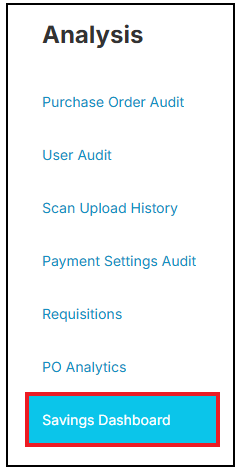
Navigate to the Analysis tab:

Followed by Savings Dashboard:
Use the available filters to search via Date Range, Department, Supplier, Goods vs. Service, and Savings Type:

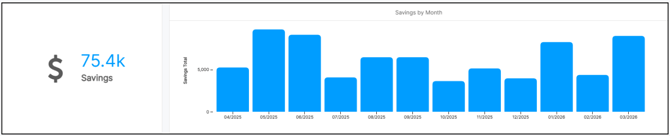
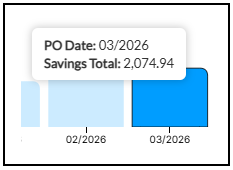
The total savings indicated in a Date Range will be indicated to the left of the first view, Savings by Month. Hover over a specific month to view the Savings Total for that month:
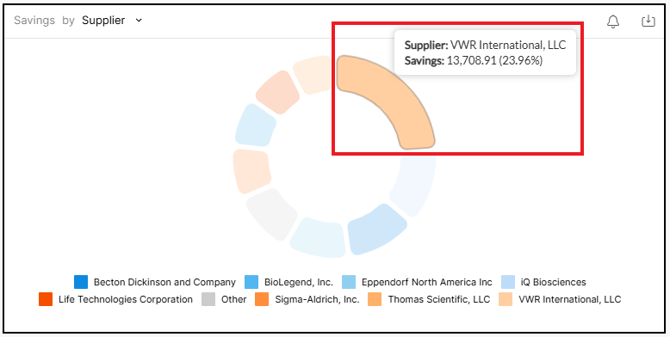
Savings can also be viewed by Supplier:
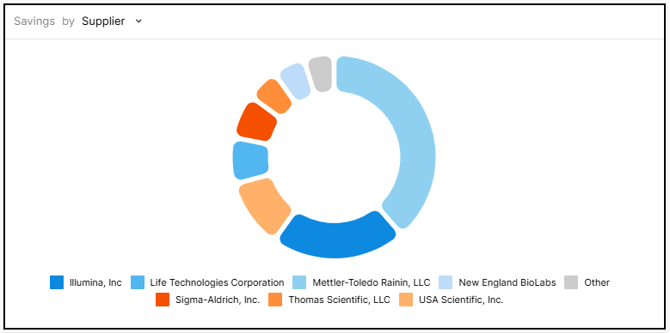
Hover over a supplier to view the total savings for a time period:
Use the Savings Type area of the Savings Dashboard to track discount types:
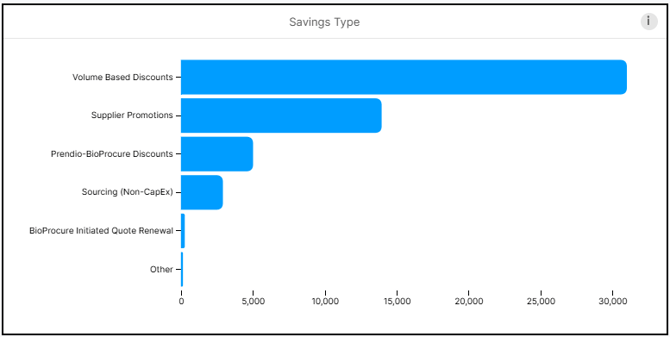
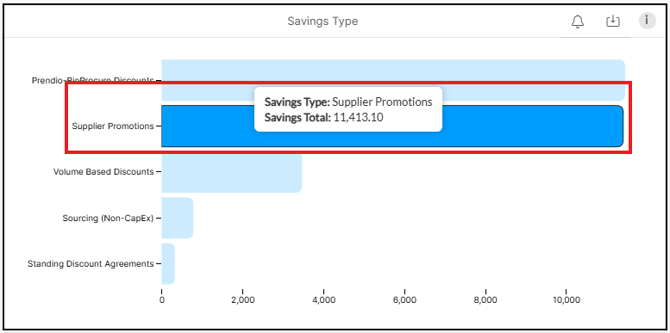
Hover over a discount type to view the total savings for that type in the specified Date Range indicated in the search criteria:
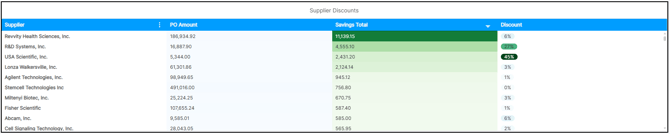
Users can view the total Supplier Discount by hovering over different sections of the graph including the total PO Amount, Savings Total, and Discount:
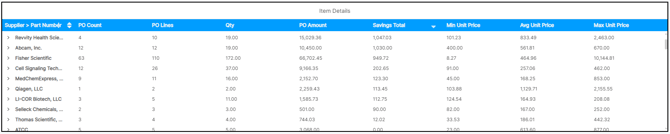
The final section displays the Item Details for POs within specific suppliers. Hover over the different sections to view the breakdown of Supplier, PO Count, PO Lines, Qty, PO Amount, Savings Total, Min Unit Price, Avg Unit Price, and Max Unit Pric